
Most NZ businesses start with a deadbolt and a basic alarm. That’s often enough for the first few years. But as operations grow, staff numbers increase, and the cost of a break-in or theft becomes more serious, a single product stops being sufficient.
Commercial security systems in NZ have moved well beyond locks and sirens. A modern setup combines surveillance cameras, alarm systems, access control, and locksmithing into a layered approach that protects people, property, and daily operations at once. This guide covers every component, how they work together, and how to build the right setup for your business in 2026.
Ready to talk through your security needs? Call Armstrong on 0800 506 111 or book a free security audit online.
What You Need To Know
A commercial security system is any combination of products and services designed to deter, detect, and respond to threats at a business premises. At the basic end, that might mean an alarm and a deadbolt. At the capable end, it includes high-definition surveillance cameras with remote access, motion-triggered alarms linked to a monitoring centre, card-based access control on every door, and a master key system managed by a licensed locksmith.
What makes it commercial rather than residential is scale, complexity, and the number of people involved. Home security systems are designed to protect one household.
Commercial setups need to account for:
Standalone products offer partial protection. Each one does its job in isolation, but they don’t communicate with each other. Integrated systems connect those products so they work together. An alarm event can trigger a camera to record. An access control breach can push an alert to a phone. A monitoring centre can verify a threat in real time before dispatching a response.
A basic security camera isn’t enough to cover the risks of a fully functioning business. Modern premises have more entry points, more staff with varying access needs, and more valuable equipment on site.
Lower technology costs, better insurance outcomes, and the practical value of remote monitoring have caused retail stores, clinics, warehouses, and small offices to upgrade their security systems.
The most common threats are opportunistic. This includes break-ins after hours, internal theft that goes undetected, and unauthorised access to restricted areas. A burglar alarm addresses after-hours intrusion. A surveillance camera captures what happens at a cash register. Access control limits who can enter a storeroom. Physical locks secure the perimeter. None of these alone covers every scenario. Together, they do.
Security gaps exist wherever one layer ends, and the next hasn’t started. A camera at the front door doesn’t deter someone from entering through the loading dock.
Beyond deterrence, a well-built system makes daily operations easier:
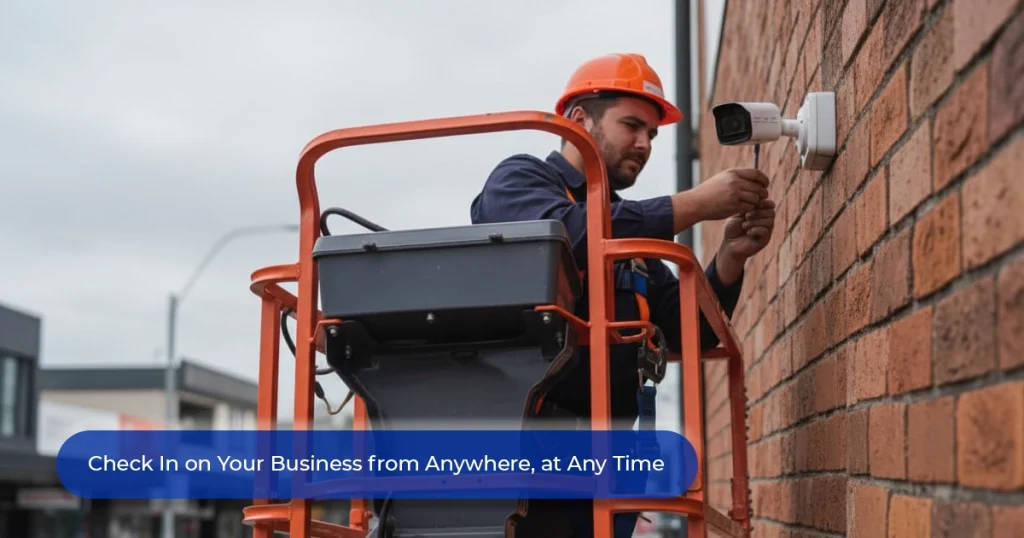
A modern CCTV camera in NZ commercial installations does more than record. Visible cameras deter incidents before they occur. Beyond deterrence, a well-installed system provides:
Outdoor security cameras need to withstand weathering, UV exposure, and varying lighting conditions. Bullet cameras offer directional coverage and a visible deterrent. PTZ cameras suit large external areas. Indoor cameras have different requirements: turret cameras provide discreet coverage of sales floors and corridors, and image quality at low light and alarm integration matter more than weatherproofing.
The best security cameras in NZ for commercial use are not necessarily the most expensive. Placement, coverage planning, and system integration matter more than the hardware’s sticker price.
Visible cameras reduce opportunistic theft before incidents occur. Recorded footage provides clear evidence for insurance claims and police reports. For multi-site businesses, remote access to camera feeds maintains visibility across all locations without requiring physical presence.
Book a commercial CCTV consultation with Armstrong.
Commercial alarm systems go beyond the basic motion sensor. A properly specified system detects:
We install systems from Ajax, Bosch, Hikvision, and Inner Range across retail, warehouses, offices, clinics, schools, and hospitality venues. Zoning lets different areas be armed independently. Entry and exit timers reduce false alarms, while real-time alerts push notifications when an alarm triggers. With professional monitoring, those alerts go to a 24/7 centre that can verify the event and dispatch a response.
Many commercial insurance policies require a monitored alarm as a condition of cover. Some insurers offer premium reductions for verified monitoring or integrated CCTV.
See Armstrong’s commercial alarm systems.
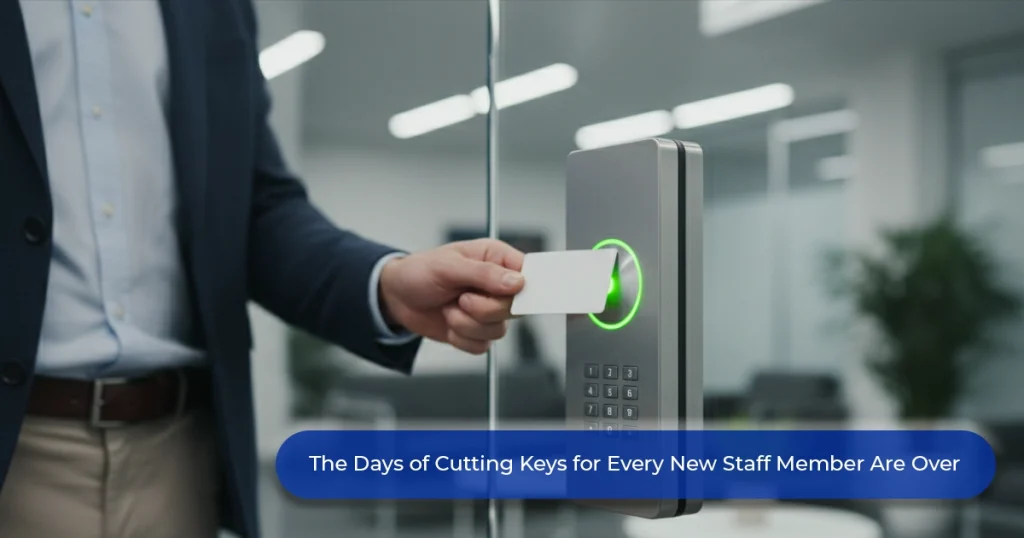
Access control replaces physical keys with programmable credentials, such as key cards, fobs, PIN codes, or biometric readers. Each credential is assigned to an individual, every event is logged, and permissions can be changed instantly. For example, remotely deactivating a departing employee’s card and granting access to only specific doors for a new staff member.
Our commercial access control solutions scale from a single electronic door lock on a server room to a full multi-site system.
A digital door lock or keypad door lock is a practical starting point for small offices, shared workspaces, and single-entry buildings. They eliminate physical keys, allow PIN changes without locksmith callouts, and, depending on the model, log entry events.
For more details on choosing the right option, we have published guidance on digital door locks and smart lock technology. A smart lock in NZ for commercial use goes further. App-based control lets managers grant temporary access remotely and review entry logs from a phone.
The electronic door lock options we install range from simple keypad units to full cloud-managed systems.
Electronic systems depend on power and connectivity. Physical security locks don’t. A high-grade deadbolt or mortice lock remains the last line of defence when everything else fails. The most effective setups use high-security physical locks on external access points and electronic access control on internal doors, where audit trails add the most value.
A master locksmith can design a key system that controls access across an entire building hierarchy. A master key gives senior staff access to everything, while individual keys open only authorised areas. Rekeying changes the lock cylinder after a break-in or staff departure, so old keys no longer work. Our key management services cover cut keys, restricted key systems, and master key design.
Separate systems create gaps. A CCTV system not linked to the alarm doesn’t automatically record when a sensor triggers. An access control system not connected to CCTV can’t visually verify who used a credential at a specific door.
When these systems communicate, the results are immediate:
For businesses across multiple locations, integrated systems provide central visibility: one platform, one login, all sites. New locations can be added to the same system as the business grows.
Retail vulnerabilities include:
The most effective setup combines visible CCTV covering transaction areas, a monitored alarm, and electronic door locks on back-of-house areas.
The priority is managing access to specific areas and keeping an audit trail:
A digital or keypad door lock for restricted areas, paired with a basic alarm and CCTV at entry points, covers most risk scenarios for small- to medium-sized professional spaces.
These sites deal with large perimeters, high-value stock, and shift workers. The foundation is typically:
Multi-tenant buildings add the complexity of separating tenant access while maintaining shared infrastructure.
The most common mistake is buying hardware before understanding the threat. A site assessment first, then a product recommendation, is the right sequence.
Security systems degrade without maintenance. Cameras shift their angle. Alarm sensors accumulate dust. Battery backups lose capacity.
Treating cameras, locks, and alarms as three separate decisions from three separate suppliers means no one is responsible for how they work together. A single provider who designs, installs, and maintains the full system is accountable in a way that fragmented procurement never is.
Home security systems can often be self-installed. Commercial installations are a different matter—they involve more access points, higher stakes, regulatory considerations around staff privacy, and integration requirements that DIY products aren’t designed for. A professional installer:
Poor setup weakens good hardware. The installation is where good security is either built or undermined.
The right provider for commercial security systems in NZ assesses your site, designs a system to match your risk profile, and stays contactable when something needs adjusting.
We operate from 15 locations across New Zealand, supported by mobile workshops and trained, police-vetted technicians. With over 45 years of experience across retail, commercial, industrial, educational, and government sites, the team brings depth that separates a security provider from a product reseller.
Our case studies document real commercial projects and verified outcomes. When comparing providers, ask about industry-specific experience, service response times, and whether technicians are licensed and police-vetted. Our technicians meet all three.
Book a free commercial security audit with Armstrong or call 0800 506 111.
What are the main parts of a commercial security system?
The four core components are CCTV cameras, alarm systems, access control, and physical locks. Most NZ businesses benefit from some combination of all four, scaled to their site size, risk level, and operating hours.
Do I need CCTV, alarms, and access control together?
Not necessarily from day one. The right starting point depends on your risk and budget. However, the systems are designed to work together, and the value of each increases when they’re integrated.
Are digital door locks suitable for commercial buildings?
Yes. Digital door locks and keypad door locks suit commercial use well, particularly for internal restricted areas, shared spaces, and single-entry offices. For larger premises, a full access control platform with card or fob credentials offers more flexibility and auditability.
What is the difference between a locksmith and a commercial security provider?
A locksmith handles physical lock installation, rekeying, master key systems, and key cutting. A commercial security provider installs and integrates electronic systems, including CCTV, alarms, and access control. We do both.
How do I find the best security cameras in NZ for my business? The best cameras are determined by your site layout, lighting, risk areas, and whether you need outdoor or indoor coverage. Resolution, night vision, and system integration matter more than brand. We assess all of these during a free security audit consultation.

© 2026 | Armstrong Smarter Security | All Rights Reserved | Designed by 
If this is an emergency or urgent job, please contact us on 0800-506-111